
How to keep an account ledger
You keep an account ledger (cari hesap) by opening a card for each company and writing every transaction between you in date order in the date, document no., description, debit, credit and balance columns: sales and purchases go in the debit column, receipts and payments in the credit column, and on each line the balance is carried as previous balance + debit − credit. Three habits keep the system standing — record the transaction on the day it happens, put the document number in the description, and add a due date to every debit line.
The explanation below covers the procedure: the ledger's columns, how a transaction is written, how the balance is carried and how an account is opened and closed. If the debit-credit concepts themselves are new to you, first see the what is an account (cari hesap) page; the definition isn't repeated here.
What columns does an account ledger have?
Whether it's a paper ledger, an Excel table or a program, a working account system consists of these six columns. Fewer leave tracking incomplete, and more go unfilled in a small business.
| Column | What you write | Why it's needed |
|---|---|---|
| Date | The day the transaction took place | The statement is read in date order; in reconciliation, the difference is looked for in this column. |
| Document no. | Invoice, bank slip, delivery note (irsaliye) or cheque number | This is the only field that can be matched against the other party's records. |
| Description | A short description of the transaction (“2 boxes returned”, “A-1416 settled”) | The only note that reminds you months later why the line was entered. |
| Debit | An amount that increases the other party's debt | On a customer account, the sales invoice is written here. |
| Credit | An amount that reduces the debt | Payments received, payments made and returns are written here. |
| Balance | The net position up to that line | Catches an error in the same week; doesn't wait for period end. |
If you work with payment terms, add the due date as a seventh column. A receivable with no due date written is a receivable you can't tell is overdue or not.
Keeping an account ledger in six steps
1. Open a single account card for each company
An account is opened with the company's card: registered name, tax ID number, phone and, if there is one, the opening (carried-forward) balance. The critical rule is uniqueness — if the same company is kept on two separate cards, your statement is split in two and neither half shows the real balance. Before opening a new card, search by tax ID number; “Ahmet Trading” and “Ahmet Trading Ltd.” may be the same company. If you know the opening balance, write it on the first line as the carried-forward amount; if you don't, start from zero and correct it through reconciliation.
2. Write the transaction on the day it happens, with the document number
The only thing that ruins an account is a late entry. Sales, purchases, receipts and payments should be posted the same day; the document number (invoice no., bank slip no., cheque no.) should go in the description field. A line without a number can't be compared with the other party's statement at period end — this is the habit that shortens the time to find a difference in reconciliation the most.
3. Separate debit and credit by direction
On a customer account, the invoice you issue is written in the debit column and the money you receive from them in the credit column. On a supplier account the direction is reversed: goods you receive increase your debt, and a payment you make reduces it. A practical way to avoid mixing them up is to separate account codes with a prefix (C- for customers, S- for suppliers, for example). If you're unsure which column a transaction goes in, ask one question: did this transaction increase or decrease the other party's debt to you?
4. Carry the balance on every line
The running balance is found by subtracting the total credit from the total debit up to that line: balance = previous balance + debit − credit. Taking a single total only at period end reveals an error months later; seeing the balance on every line catches a wrongly entered figure in the same week. In Excel this is set up with a cumulative sum formula; in a program it is calculated automatically.
5. Write a due date on every debit line
A receivable with no due date is a receivable that isn't being followed: it stands out on no list and just sits there as a balance. If a customer says “end of the month” or “30 days”, convert it to an exact date and record it. Once a week, sorting the overdue items by amount is the smallest routine that collects a significant share of receivables; the details are on the collections and due date tracking page.
6. At period end, agree on the statement
When closing the month, produce the account statement, send it to the other party and agree on the balance. The agreed amount is the next period's opening balance; if it isn't in writing, you start from scratch at every reconciliation. Closing an account completely is also this step: when the balance reaches zero, don't delete the card; leave the last agreed balance and its date in the record — the past transactions are the only evidence against an objection raised later.
Example: one month's account statement
September for a customer account. The opening balance is 4.000 ₺, meaning that is what the customer owed you at the start of the month. Follow the balance column line by line — on each line previous balance + debit − credit is applied:
| Date | Document / description | Debit | Credit | Balance |
|---|---|---|---|---|
| 01.09.2026 | Opening balance | 4.000 ₺ | — | 4.000 ₺ |
| 04.09.2026 | Sales invoice A-1382 | 12.500 ₺ | — | 16.500 ₺ |
| 09.09.2026 | Cash payment received | — | 6.000 ₺ | 10.500 ₺ |
| 15.09.2026 | Return — 1 box | — | 1.250 ₺ | 9.250 ₺ |
| 22.09.2026 | Sales invoice A-1416 | 7.800 ₺ | — | 17.050 ₺ |
| 28.09.2026 | Bank transfer received | — | 10.000 ₺ | 7.050 ₺ |
| Month total | 24.300 ₺ | 17.250 ₺ | 7.050 ₺ |
The last line verifies the statement two ways: the debit total is 24.300 ₺, the credit total is 17.250 ₺ and the difference between them is 7.050 ₺ — the same as the last value of the running balance. If they don't match, the error is in one line and it stops where the balance column jumps. At month end the customer's debt is 7.050 ₺; if invoice A-1416 dated September 22 has payment terms, this amount will appear on next month's follow-up list.
Excel or a program?
Excel: you open the six columns above, write the cumulative sum formula in the balance cell and keep a separate sheet for each account. For a small number of accounts it is an accurate and free solution; you can find a ready setup in the free account ledger Excel template. It struggles as the number of accounts grows: choosing a date range, filtering out the overdue items and sharing statements become manual work every time.
App: in Account Ledger: Debt & Credit you open the account card, enter the transaction and the balance carries on its own; accounts nearing their due date are collected in a separate report, and you get the statement by choosing a date range. It works in the browser, needs no installation and you start with a free account. If you want to manage inventory and sales from the same place, Ofisx; if you only keep a customer credit ledger in retail, Customer Credit Tracker may be a better fit; you can see which suits you on the comparison page.
Comparing the statement with the other party
The payoff of a correctly kept account is a balance that closes without dispute at period end. The listing of the account over a specific range is called an account statement; we explained its columns and how to read the opening balance on the what is an account statement page, and, with a sample table, how to find the difference by date rather than by amount when the two sides' statements don't match on the how to reconcile accounts page. Ready-made text for the message you'll send the other party — letter, email and a reply to an incoming reconciliation email — is on the account reconciliation letter and email sample page. If a receivable of yours has been tied to a cheque or promissory note, tracking it runs separately: how to track cheques and promissory notes. If you need to assign a receivable from your customer against a debt to your supplier, that is an account transfer (cari virman); its letter and entry are on a separate page.
Frequently asked questions
How do you open an account (cari hesap)?
You create an account card with the company's legal name, tax number and contact details; if you know the opening (carried-forward) balance, enter it on the first line. Before opening one, check by tax number whether the same company is already on file — a duplicate card is the most common and the last-noticed mistake in account tracking.
How do you close an account?
An account is closed when its balance reaches zero: the remaining debt is collected or paid, then both sides agree on the final balance and the date is recorded in writing. Deleting the card is not closing it; even if you want to remove an account you no longer deal with from the list, keep its transaction history, because it is the only document you can rely on if a dispute comes up later.
How do you read an account?
From left to right: date, document, debit, credit and the balance on that line. If the balance is positive, the other party owes you; if it is negative, you owe them or an overpayment has been collected. To see what a line changed, just compare the balance column with the line before it.
Is it enough to keep accounts in Excel?
It is enough when you have few accounts and few transactions; once the column layout and a running-balance formula are set up, Excel works correctly. When you pass 40-50 accounts or 300-400 transactions a month, selecting a date range, filtering out overdue items and sharing statements become manual work, and that is where the margin of error becomes noticeable.
Is keeping an account ledger a legal requirement?
The account record here is the business's own tracking and does not replace the official commercial books. Which books you are required to keep depends on your business type and the tax regime you fall under; ask your accountant. The purpose of keeping accounts is not regulation but knowing at any moment how much each party owes you.
What should I do if the same company is both my customer and my supplier?
Opening two separate cards, one as customer and one as supplier, is the clearest method; when you make a payment there is no confusion about which relationship is being settled. If you track both on a single card, always state the direction in the description field; otherwise, even if the balance looks right, the statement itself becomes impossible to follow.
Last updated: 2026-09-20
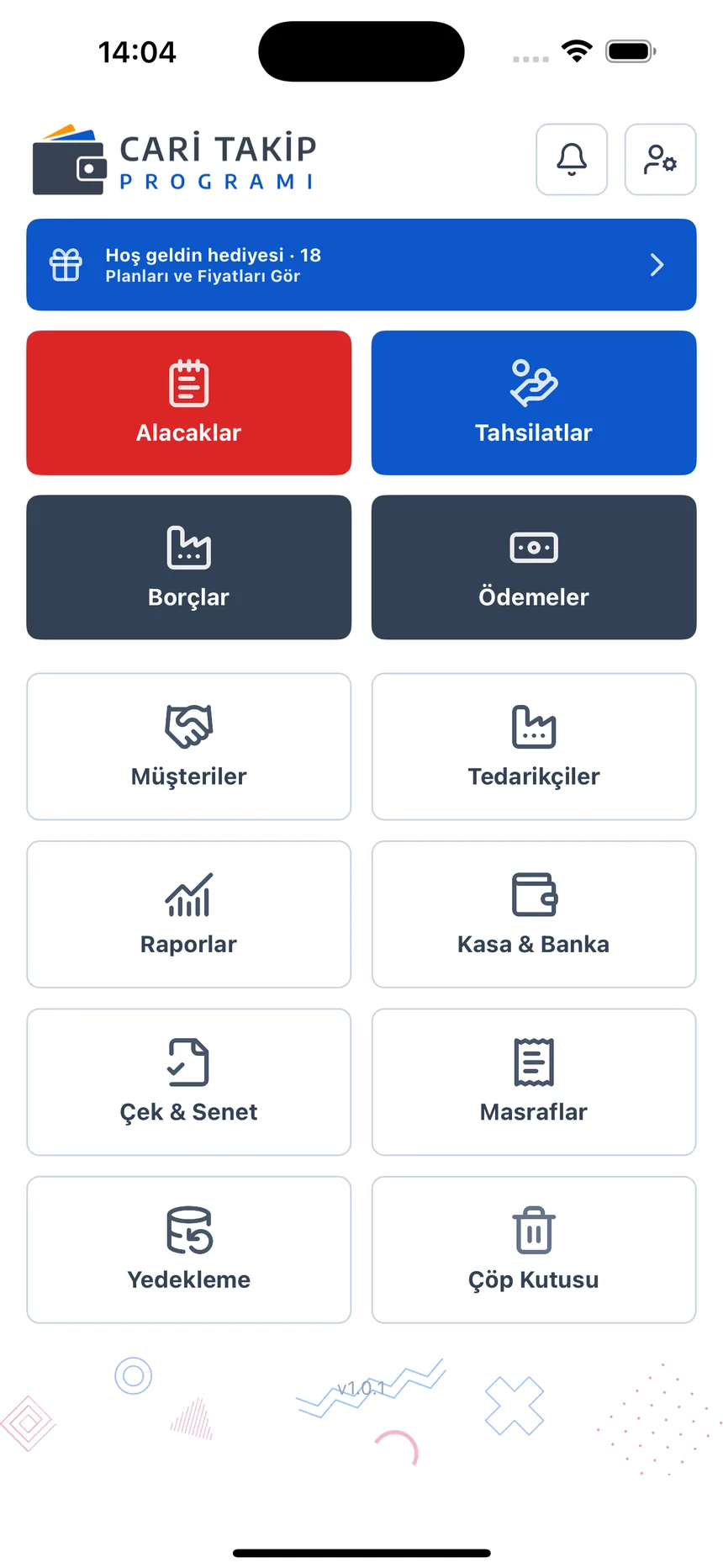
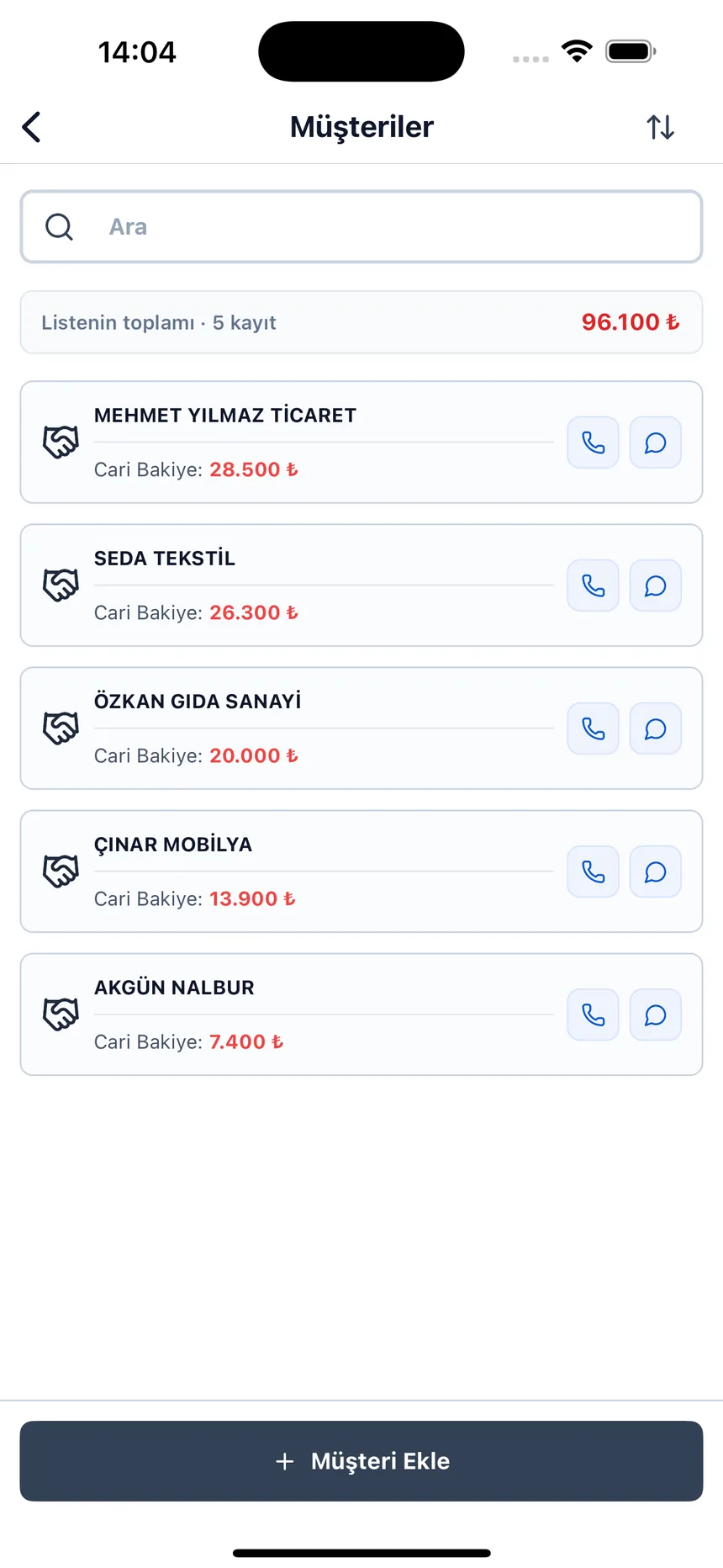
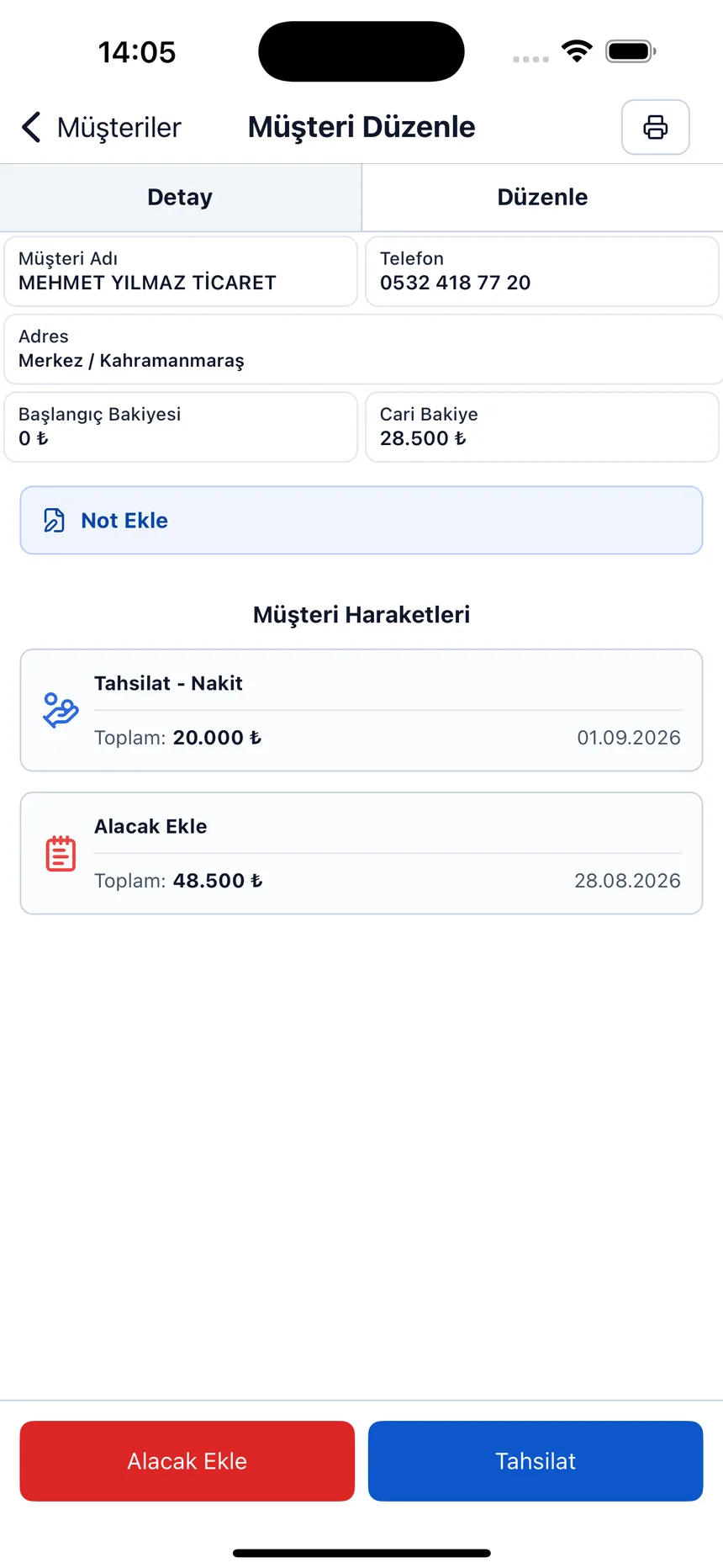
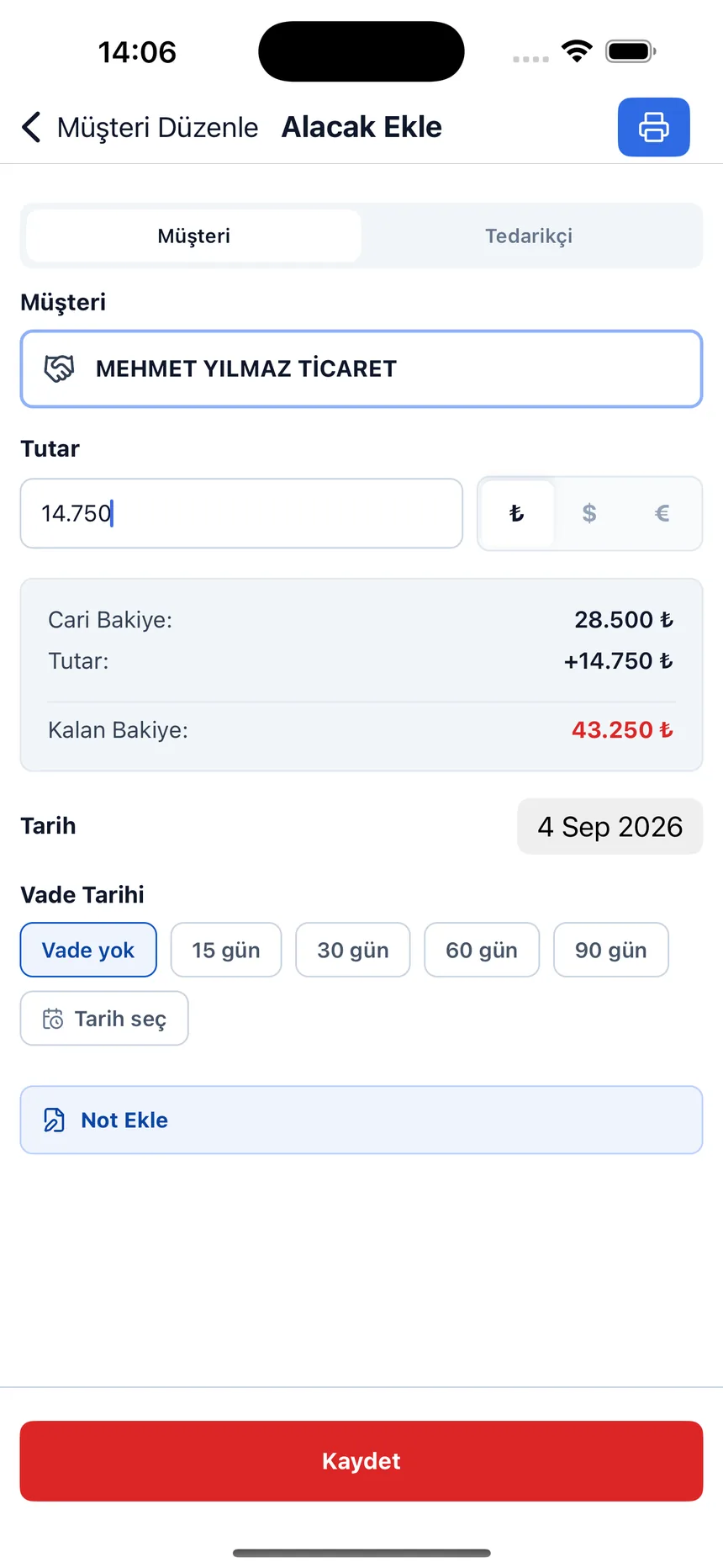
Account card and transaction screen
Open the card, enter the transaction; the balance keeps running on its own.
Stop adding up balances by hand
Open a free account and create your account cards; debit, credit and running balance come already calculated.